Buy Desktop Computer Online – A Simple Guide to Choosing the Right PC
Buying a desktop computer online can feel exciting and overwhelming at the same time. There are so many options, brands, and specifications that it’s easy to feel confused about where to start. Maybe you’re a student needing a computer for studies, a professional working from home, or someone who simply wants a reliable system for everyday use. Whatever the reason, choosing the right desktop computer is an important decision because it becomes a part of your daily life.
The good news is that buying a desktop online has become easier than ever. With just a few clicks, you can compare models, check reviews, and find a computer that perfectly matches your needs and budget. Instead of visiting multiple stores, everything is available right on your screen. Let’s explore how you can buy the best desktop computer online without stress.
Why Buying a Desktop Computer Online Is a Good Idea
Online shopping has changed the way we buy technology. When you buy a desktop computer online, you get access to hundreds of options that may not even be available in local stores. You can explore different brands, compare prices instantly, and read reviews from people who already use the product.
Another big advantage is convenience. Imagine sitting comfortably at home with a cup of tea while browsing through computers that fit your budget. No rushing from one shop to another. No pressure from salespeople. You can take your time, read specifications carefully, and make a thoughtful decision.
Online stores also offer discounts, seasonal sales, and bundle deals. Sometimes you may even get accessories like a keyboard, mouse, or software included with the computer. These small benefits can save money and make the purchase feel even more rewarding.
Types of Desktop Computers You Can Buy Online
Before buying a desktop computer, it helps to understand the different types available. Each type serves a different purpose depending on what you need.
Tower Desktop Computers
Tower desktops are the traditional computers most people know. They come with a separate CPU cabinet that connects to a monitor, keyboard, and mouse. These computers are popular in offices, homes, and gaming setups because they are powerful and flexible.
One of the best things about tower desktops is that they can be upgraded easily. If you want more RAM, better storage, or a stronger graphics card later, you can usually add these components without replacing the entire system. This makes tower desktops a great long-term investment.
They are especially suitable for people who need strong performance, like gamers, designers, or professionals working with heavy software.
All-in-One Desktop Computers
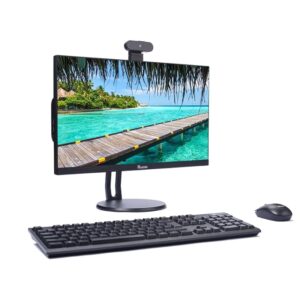
All-in-One desktops are designed to save space and look clean on your desk. In these computers, the monitor and CPU are combined into a single device. That means fewer cables and a simpler setup.
These desktops are perfect for students, families, and home offices. They usually come with built-in speakers, webcams, and wireless connectivity, making them ready to use right out of the box.
If you want something that looks modern and keeps your workspace neat, an All-in-One desktop can be a wonderful choice.
Mini PCs
Mini PCs are small desktop computers that take up very little space. Some are even small enough to fit in your hand. They are not designed for heavy tasks, but they work well for basic activities like browsing the internet, watching videos, or using office software.
These computers are great for small apartments, classrooms, or simple home setups where space is limited.
Important Things to Check Before Buying a Desktop
When buying a desktop computer online, it’s important to look beyond the price. Understanding a few key specifications will help you choose a system that works smoothly for years.
Processor (CPU)
The processor is the heart of the computer. It controls how fast your computer can run programs and handle tasks. Popular processors include Intel Core and AMD Ryzen.
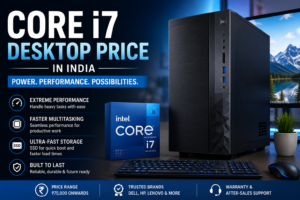
For everyday use such as browsing and office work, an Intel Core i3 or Ryzen 3 processor is usually enough. If you plan to do gaming, video editing, or heavy multitasking, a stronger processor like Intel Core i5 or i7 will give better performance.
RAM (Memory)
RAM allows your computer to run multiple programs at the same time. If your system has too little RAM, it may feel slow when you open several applications.
For most users, 8 GB RAM works well for daily tasks. However, if you want smoother multitasking or plan to use demanding software, 16 GB RAM is a better choice.
Storage
Storage determines how much data your computer can hold. Modern desktops often use SSD storage, which is much faster than traditional hard drives. SSDs help your computer start quickly and load programs faster.
A combination of SSD for speed and HDD for larger storage is also a popular option.
Graphics
If you only use your computer for browsing, watching videos, or office work, integrated graphics are usually enough. But gamers, designers, and video editors should look for a desktop with a dedicated graphics card for better visual performance.
Popular Desktop Computer Brands
When buying a desktop computer online, choosing a trusted brand gives peace of mind. Reliable brands usually offer better build quality, customer support, and warranty services.
Some of the most popular desktop computer brands include:
- HP
- Dell
- Lenovo
- Asus
- Acer
These companies offer desktops for every type of user, from budget-friendly systems for students to powerful machines for professionals and gamers.
Tips for Buying the Right Desktop Computer Online
Buying a computer is not just about picking the most expensive model. The best computer is the one that fits your needs perfectly.
Here are a few simple tips to help you choose wisely:
- Know your purpose – Think about how you will use the computer.
- Compare specifications carefully – Don’t focus only on price.
- Read customer reviews – Real users often share helpful experiences.
- Check warranty and support – Good after-sales service is important.
- Buy from trusted websites – This ensures product authenticity.
Taking a little extra time to research can help you avoid regret later.
Conclusion
A desktop computer is more than just a machine. It becomes a companion for work, learning, creativity, and entertainment. Whether you’re writing assignments, attending online meetings, editing photos, or simply watching your favorite shows, the right desktop can make everyday life easier.
Buying a desktop computer online gives you the freedom to explore many options and find a system that truly fits your needs. With the right research and careful comparison, you can choose a computer that feels reliable, powerful, and worth every penny.
Take your time, understand what you need, and trust your choice. The perfect desktop computer is waiting for you—just a few clicks away.
FAQs
1. Is it cheaper to buy a desktop computer online?
Yes, online stores often offer better discounts and deals compared to physical shops.
2. How much RAM should a good desktop computer have?
For everyday use, 8 GB RAM is usually enough, while 16 GB is ideal for heavy tasks.
3. Which brand is best for desktop computers?
Popular and reliable brands include HP, Dell, Lenovo, Asus, and Acer.
4. Can desktop computers be upgraded later?
Yes, especially tower desktops. You can upgrade RAM, storage, and graphics cards.
5. Are All-in-One desktops good for home use?
Yes, they are great for home users because they save space and are easy to set up.