
Desktop Computer Price: What You Really Pay for Power, Performance, and Possibility
Understanding Desktop Computer Prices
Why Desktop Computers Still Matter Today
In a world full of sleek laptops and tablets, you might wonder why desktop computers still hold such a strong place in homes and offices. The answer is simple—power, flexibility, and value. Desktops are like the heavyweight champions of computing. They deliver raw performance, larger storage, and easier upgrades compared to portable devices. When you sit in front of a desktop, you’re not just using a computer; you’re stepping into a powerful workstation capable of handling everything from office work to high-end gaming.
Another reason desktops remain popular is their long-term cost efficiency. While laptops often become outdated quickly and are difficult to upgrade, desktops allow users to swap components like RAM, storage, or graphics cards. This means your computer can evolve with your needs instead of becoming obsolete. Think of a desktop as a house you can renovate anytime, rather than a hotel room you cannot modify.
Even today, millions of users choose desktops for productivity, creativity, and entertainment. Students rely on them for studies, designers use them for heavy software, and gamers crave their superior performance. Despite the rise of mobile devices, desktops still represent stability and reliability in the digital world.
Average Desktop Computer Price in 2026
When people search for desktop computer prices, the first question that comes to mind is simple: How much does a desktop computer actually cost? The answer depends on the type of desktop and its specifications. Prices can vary widely, from extremely affordable machines to ultra-powerful systems that rival professional workstations.
In India, entry-level desktop computers can start at around ₹12,000 to ₹20,000, especially for basic systems designed for simple tasks like browsing, document editing, and online classes. These budget machines typically include entry-level processors, basic graphics, and moderate storage.
Mid-range desktops are the most common choice for households and offices. These computers usually cost between ₹40,000 and ₹80,000, depending on features and brand. Recently launched models such as ASUS consumer desktops start at around ₹42,990, showing how affordable capable PCs have become.
For professionals, gamers, or creators who demand extreme power, high-end desktops can cost ₹1,00,000 to ₹2,50,000 or more, especially when equipped with advanced processors and high-performance GPUs.
The wide price range means there’s a desktop for every budget and every dream.
Desktop Computer Price by Category
Budget Desktop Computers
Budget desktops are the gateway into the world of computing. These machines are designed for people who need a reliable computer without spending a fortune. Imagine a student working on assignments or a small business owner managing documents—these systems handle such tasks smoothly.
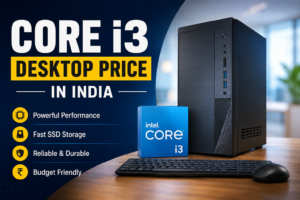
Typically priced between ₹12,000 and ₹30,000, budget desktops include entry-level processors like Intel Core i3 or similar alternatives. They usually come with 8GB RAM and basic storage, enough to run office software, browse the internet, watch videos, and attend online meetings. (Smartprix)
These computers are simple yet dependable. They may not run demanding games or heavy editing software, but they deliver exactly what most everyday users need. For families buying their first computer or students studying from home, a budget desktop often feels like opening a door to a bigger digital world.
Who Should Buy Budget Desktops
Budget desktops are perfect for:
- Students
- Home users
- Basic office work
- Internet browsing and streaming
They provide just enough power to get things done without draining your wallet.
Mid-Range Desktop Computers
Mid-range desktops represent the sweet spot between price and performance. If budget PCs are bicycles, mid-range desktops are reliable cars—faster, stronger, and capable of going much further.
These systems usually cost between ₹40,000 and ₹80,000, depending on the brand and hardware. They often feature modern processors like Intel Core i5 or AMD Ryzen 5, along with 16GB RAM and SSD storage. Such configurations provide smooth multitasking and faster performance compared to entry-level machines.
Mid-range desktops are ideal for people who want a powerful everyday computer without spending premium prices. They can handle video editing, programming, multitasking, and even moderate gaming. Many offices and professionals choose these machines because they strike a perfect balance between cost and capability.
Another advantage is longevity. A well-configured mid-range desktop can remain relevant for years, especially if upgraded later with additional RAM or storage. It’s like buying a car that runs smoothly for a decade with occasional maintenance.
Best Uses for Mid-Range PCs
Mid-range desktops work well for:
- Office productivity
- Content creation
- Programming and development
- Casual gaming
- Multitasking
For most people, this category delivers the best value.
High-End Desktop Computers
High-end desktops are the kings of computing power. These machines are built for professionals, gamers, and creators who push technology to its limits. Imagine editing cinematic videos, designing complex 3D models, or playing ultra-realistic games at high frame rates—that’s where high-end desktops shine.
These powerful systems usually cost ₹1,00,000 to ₹2,50,000 or more, depending on the components.) They often include high-performance CPUs, large amounts of RAM, and advanced graphics cards capable of handling heavy workloads.
Gaming desktops, for example, may feature GPUs like RTX series graphics cards and advanced cooling systems to maintain performance during intense gaming sessions. Some premium models can even support 4K gaming, VR applications, and advanced simulations.
Buying a high-end desktop isn’t just purchasing a computer—it’s investing in a powerhouse that transforms your digital experience. For professionals and gamers, it’s the difference between struggling with limitations and working with complete freedom.
Who Needs Premium Desktops
High-end desktops are ideal for:
- Professional video editors
- 3D designers
- Engineers and developers
- Serious gamers
- AI and data science professionals
They deliver unmatched performance and speed.
Factors That Affect Desktop Computer Price
Processor (CPU) and Performance
The processor, often called the brain of the computer, plays a huge role in determining price. A system with an entry-level CPU costs far less than one with a high-performance processor. More powerful CPUs handle complex tasks faster, which increases the overall price of the desktop.
RAM and Storage Capacity
RAM determines how smoothly your computer runs multiple applications. More RAM means better multitasking but also increases cost. Storage type also matters—SSD drives are faster but more expensive than traditional hard drives.
Graphics Card and Gaming Capability
For gaming and creative work, the graphics card becomes the most expensive component. High-performance GPUs can cost tens of thousands of rupees, significantly increasing the desktop price.
Brand vs Assembled Desktop
Brand-name desktops from companies like Dell, HP, or ASUS often cost more because of warranty, build quality, and support. Assembled desktops, on the other hand, allow users to customize components and sometimes reduce cost.
Desktop Computer Price Comparison
| Category | Typical Price Range | Best For |
|---|---|---|
| Budget Desktop | ₹12,000 – ₹30,000 | Students, basic tasks |
| Mid-Range Desktop | ₹40,000 – ₹80,000 | Office work, multitasking |
| High-End Desktop | ₹1,00,000 – ₹2,50,000+ | Gaming, professional work |
Tips to Buy the Best Desktop at the Right Price
Smart Buying Strategies
Buying a desktop computer isn’t just about picking the cheapest option. It’s about choosing the machine that fits your needs perfectly. Start by identifying your primary use—gaming, office work, or creative tasks. Once you know your purpose, selecting the right configuration becomes easier.
Another helpful strategy is focusing on upgrade potential. A desktop that allows future upgrades can save money in the long run. Instead of replacing the entire system later, you can simply upgrade components like RAM or graphics cards.
Comparing prices across different brands and retailers can also make a significant difference. Seasonal sales, online discounts, and bundle offers often reduce the price dramatically. A little research can turn an expensive purchase into an incredible deal.
Conclusion
The desktop computer price can range from a few thousand rupees to several lakhs depending on specifications, brand, and performance level. Budget desktops offer affordable access to computing, mid-range systems provide balanced performance, and high-end machines deliver extreme power for demanding tasks.
Choosing the right desktop isn’t just about cost—it’s about matching the computer to your needs. When you find that perfect balance between price and performance, a desktop computer becomes more than just a device. It becomes a powerful tool that supports your creativity, productivity, and dreams.
FAQs
1. What is the average desktop computer price in India?
Desktop computers in India typically range from ₹12,000 for basic models to over ₹2,50,000 for high-end gaming or professional systems, depending on specifications.
2. Is a desktop cheaper than a laptop?
Yes, desktops often provide better performance for the same price because they don’t require compact hardware like laptops.
3. What desktop is best for students?
Students usually benefit from budget or mid-range desktops with at least 8GB RAM and SSD storage.
4. Are assembled desktops cheaper?
Often yes. Assembled desktops allow users to choose components individually, which can reduce cost compared to branded systems.
5. How long does a desktop computer last?
A well-maintained desktop can last 5 to 8 years or more, especially if upgraded over time.